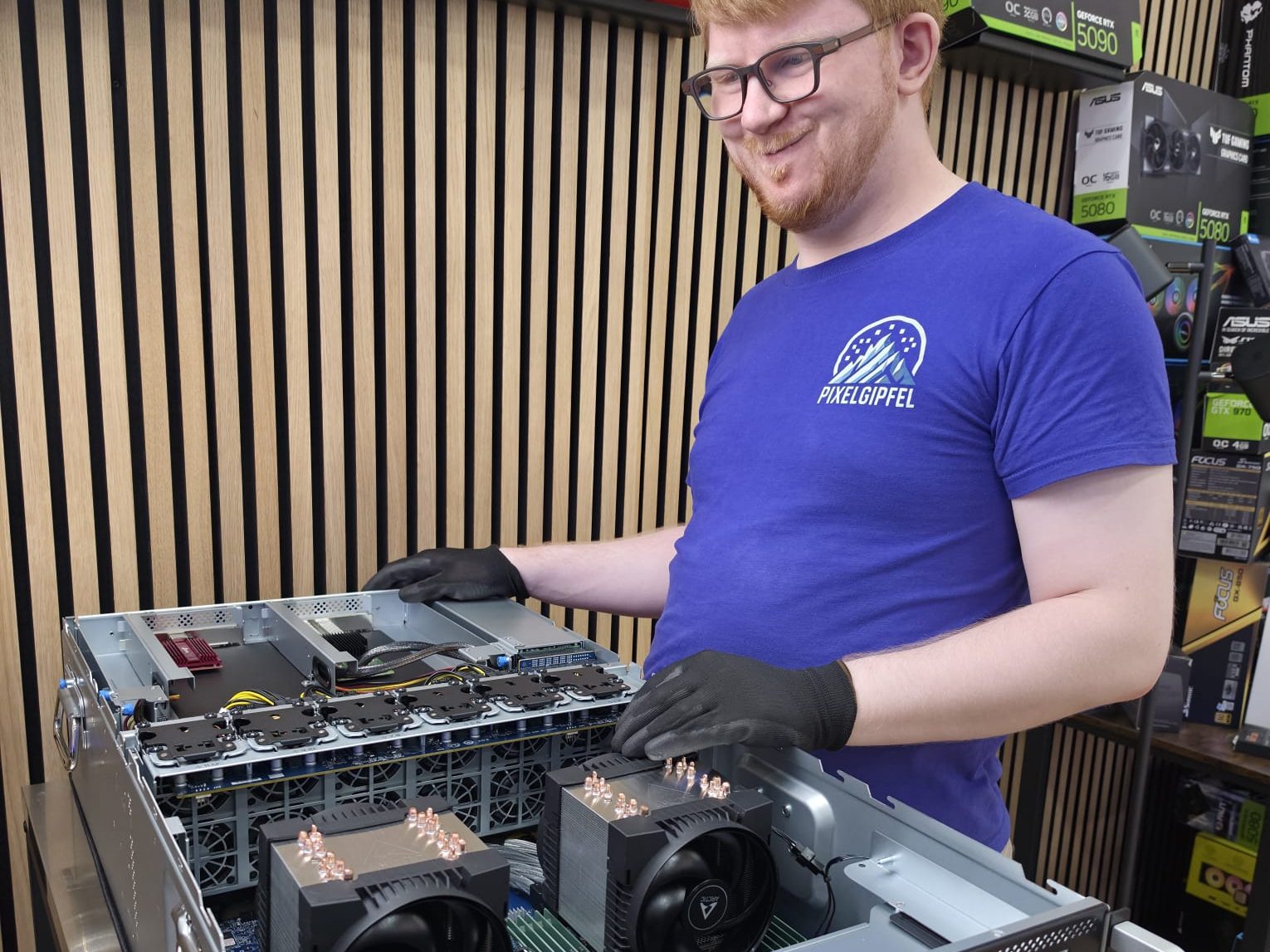
Local AI for your business in Switzerland: we plan hardware, easy-to-use software and the setup as one package, for texts, company knowledge and AI assistants.
An AI server being built in our workshop in Winterthur.
Ready-to-run AI stations.
From the entry-level station to the professional system, built and tested in Winterthur. The planner further down shows which one suits you, or we look at it together.
128 GB DDR5 (4× 32 GB, Corsair Vengeance RGB), typically DDR5-5200 with four modules, set for stable operation
SSD / storage
2× 2 TB NVMe PCIe 4.0 (Samsung 990 EVO Plus)
Cyberpunk 2077, 1440p
CHF 13'348.90
At your place in 5-7 working days
How it works.
1
Applications & requirements.
Which tasks, software and models do you want to use? We help define requirements, budget and timing.
2
Match hardware & software.
We select the GPU, VRAM, RAM and storage accordingly. Compatibility, licences and setup are agreed in advance.
3
Install & hand over ready to use.
We install the included software for automations, management and local data, plus the applications we agreed on. Functional testing and handover follow the project we planned together.
Ready to run following project planning. Included software, additional models, licences and setup scope are documented in the quote.
Software your team uses every day.
Your AI workstation comes with software to set up automations easily, manage the system and work with your data locally. We plan the interface, AI models and features with you.
Ask questions. Prepare texts faster.
A clear chat interface in the browser as a starting point: for drafts, summaries and everyday questions. Your team checks the results before using them.
For example: “Summarise these meeting notes.”
Work with your company knowledge.
Use selected documents as a knowledge source. Which content is included and who may see it, we plan and check together.
For example: “What does our approved assembly guide say?”
Set up automations easily.
You set up recurring workflows yourselves with the included software and adjust them later. Automations with access to other systems are planned and checked together before they go live.
For example: sorting incoming enquiries and preparing a draft reply.
Planned together. Handed over ready to use.
We choose the software with you, install the agreed applications and test your most important workflows. User rights, data sources, licences and training are part of the project planning. Connections to existing systems, automated actions and ongoing support are agreed separately.
Plan first, then do the maths.
Two tools for your planning: how much memory and speed your team needs, and when your own workstation pays off compared with the cloud.
How do you want to use AI?
Three short questions, one guide value: what for, how many at the same time and how demanding. Then we plan the right AI solution with you.
pixelgipfel@ai-planner: ~
pixelgipfel:~$ai-planner --use texts --people 6 --agents 3 --level normal
“Discuss the plan” copies your details into the enquiry form. Nothing is sent yet.
When does your own AI workstation pay off?
Compare your cloud subscriptions with your own workstation: purchase, power and support against the monthly fees.
Own workstation
Cloud
Show as table
Month
Cloud
Own workstation
Costs only, without the resale value of the hardware. A local model is not automatically as good as the latest cloud model. The AI planner in the “Needs and speed” tab shows whether a system is enough for your number of people.
“Request AI advice” copies your calculation into the enquiry form. Nothing is sent yet.
Which hardware suits you.
These systems are possible starting points. We discuss the right solution and its cost with you, including software and the setup you need. For image and media workflows or your own AI development, we match graphics memory and storage to your application.
The right GPU depends on your models, software and workload. We match the case, power supply, cooling and setup accordingly. Server and multi-GPU projects are planned separately.
A custom workstation or GPU server.
We plan computing power, memory and software around your models and workflows together. Compatibility and project scope are agreed before the quote.
Your direct contact
Personal AI advice from our workshop in Winterthur.
Lukas Meier
Your contact for AI advice and workstations
You don’t need to have chosen any hardware yet. Tell me what you want to achieve with AI. We will discuss your applications, budget and next steps.
What do you want to achieve with AI? Applications, budget and timeframe help us prepare. You can add your hardware choice below or leave it open.
Questions about AI workstations and servers
Do we need to know exactly which hardware and software we need?
No. First tell us what you want to achieve. We help you clarify the requirements and the right project scope. Planning, installation and support are agreed as needed.
AI workstation or AI server: which suits us?
It depends on whether the system serves one workplace or several people centrally. How many people use it at the same time, which access they need, operating hours and location form the basis. For a server we also clarify network, power supply, cooling, noise, backup and access rights with your IT.
Do we need an RTX PRO 6000 or is a smaller system enough?
We decide based on your applications, the memory you need and your budget. We compare options from a compact AI system to a GPU workstation; an RTX PRO 6000 is one possible configuration, not a requirement. The AI planner above gives a guide value for memory. It does not measure performance or confirm a number of users.
Which AI models and applications can we use?
Tell us the applications you want and, if known, the models. We check hardware requirements, operating system, compatibility and licences, and whether you only want to run models, adapt them or train them. What is set up and tested is recorded in the project scope.
Does the AI workstation come ready to use, with software and setup?
Yes, as one package. We install the operating system, drivers and the agreed software and set the system up for your use. Interface, models, user access and features are defined together. That is what we mean by “ready to run”: what is included and what we check at handover is stated in the quote beforehand, as are licences and ongoing software costs.
Does our data stay in the company with a local AI solution?
Local processing is possible with suitably configured software. Whether data leaves the company also depends on cloud features, interfaces and other connected services. We clarify these points during planning; your own hardware alone does not guarantee fully local processing.
What does an AI workstation or server cost, and how long does it take?
Costs and timing depend on hardware, availability, software and the scope of the setup. Tell us your budget and a preferred date. After clarifying your needs we prepare an individual quote and agree the next steps and a realistic delivery and setup date.
How does handover work, and what about support and upgrading later?
We agree beforehand which functions we check at handover and which setup is included. Help with updates, extensions or ongoing operation is discussed separately, with scope and costs. We consider later upgrades during planning where possible, and we are happy to check your existing hardware too.
In your cart
Image
Warranty extensionOn request
No paid warranty extension in the cart We discuss available services and terms with you before booking. No flat percentage fee is charged.
Delivery & service
Collection or shipping One shipping option for the whole order; choose Saturday delivery in the cart. Pickup in Winterthur is free. For delivery with setup, please request an appointment.
You might also like
Contour Design Active Key Contour QuickClean Medical Keyboard IP68 Touchpad Compact Wired White DE C7412CHF 182.71
Yealink WH64 Dual Teams HeadsetCHF 123.27
Jabra Evolve2 65CHF 134.38
MSI MAG 321UPDE QD-OLED Computer Monitor 80 cm (31.5") 3840 x 2160 pixels 4K Ultra HD BlackCHF 1'002.12